
EnzymeX Tutorial
1. Submit Prediction Job
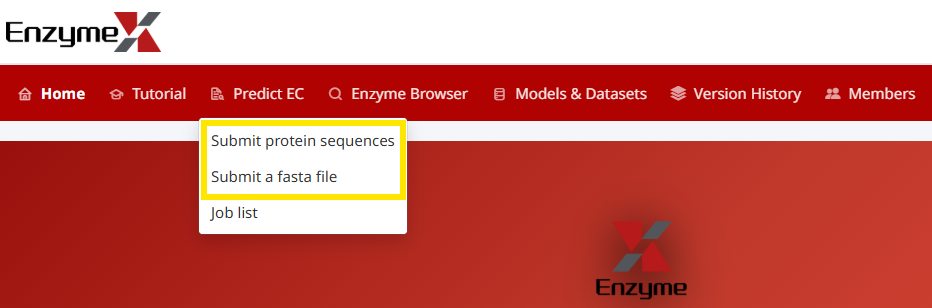
Click Predict EC in the top navigation bar, then select either Submit Protein Sequences or Submit a FASTA File.
- Submit Protein Sequences: Enter or paste protein sequences directly in FASTA format. This option provides residue-level importance scores for ECPICK, HIT-EC, and IDF-EC.
- Submit a FASTA File: Upload a FASTA file containing protein sequences. This option does not provide residue-level importance scores for ECPICK, HIT-EC, or IDF-EC.
2. Submit Your Job
Submit Protein Sequences
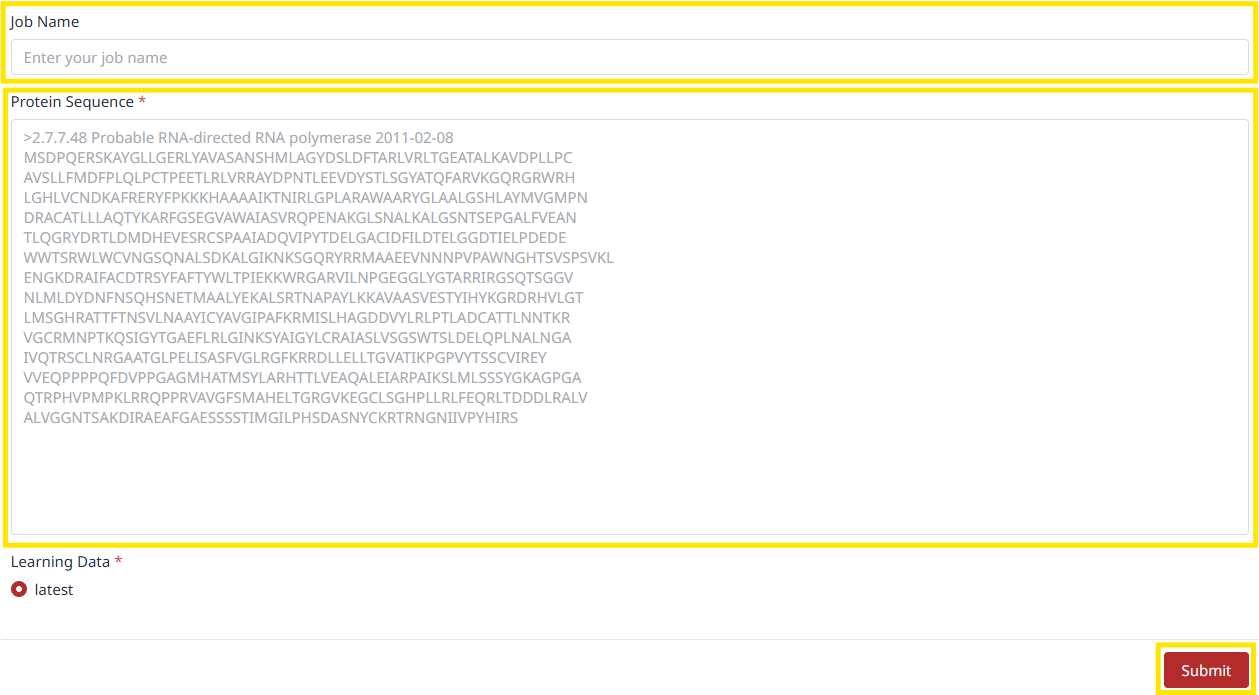
Enter a Job Name and paste your protein sequences in FASTA format. Click the Submit button to submit your prediction job.
Submit a FASTA File
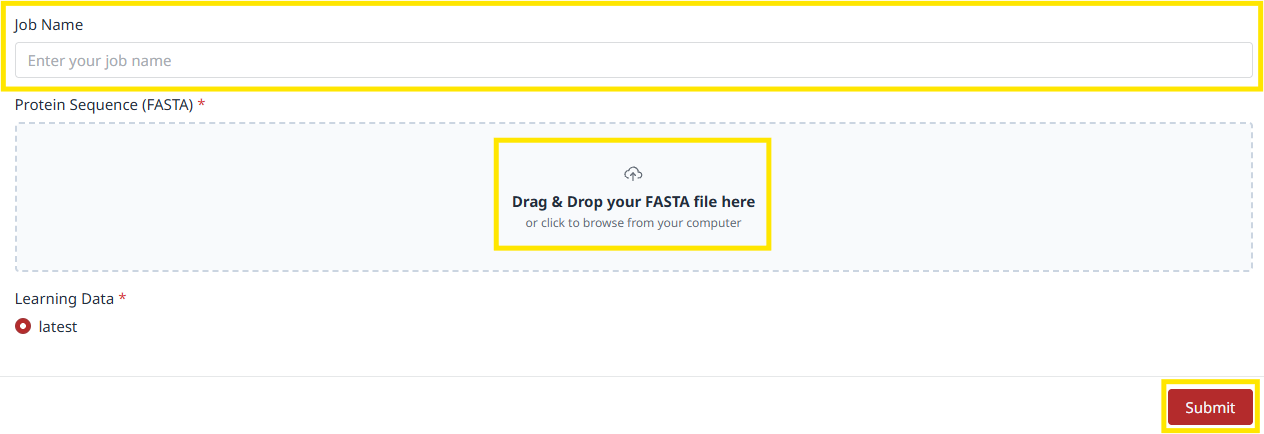
Enter a Job Name and upload a FASTA file containing your protein sequences. Click the Submit button to submit your prediction job.
- The total length of the input protein sequences must be less than 1,000 characters.
- For both submission methods, the Job Name must not exceed 100 characters.
3. Check Job Status
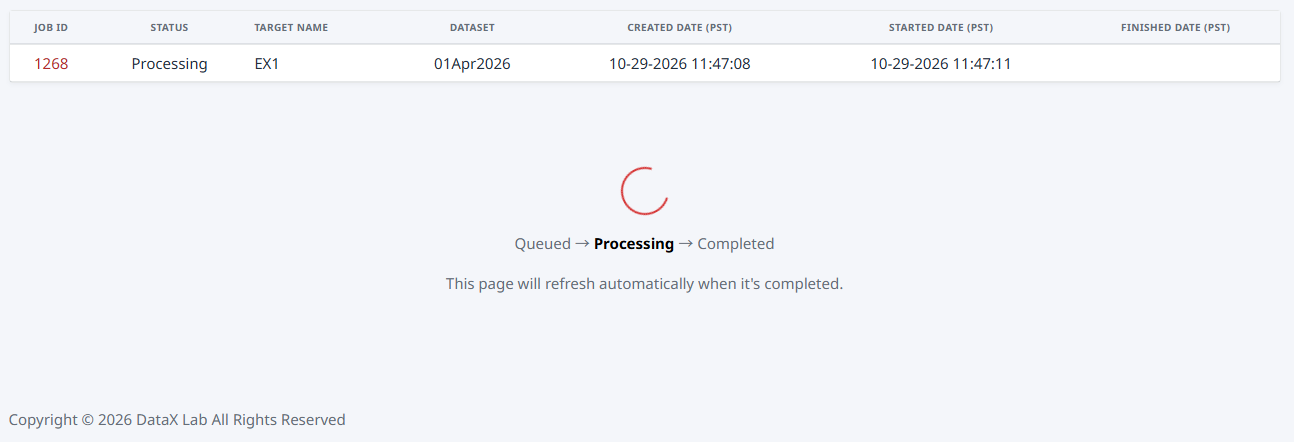
After clicking the Submit button, your prediction job will be submitted. You can monitor the progress of your job as shown below.
4. Explore Prediction Results
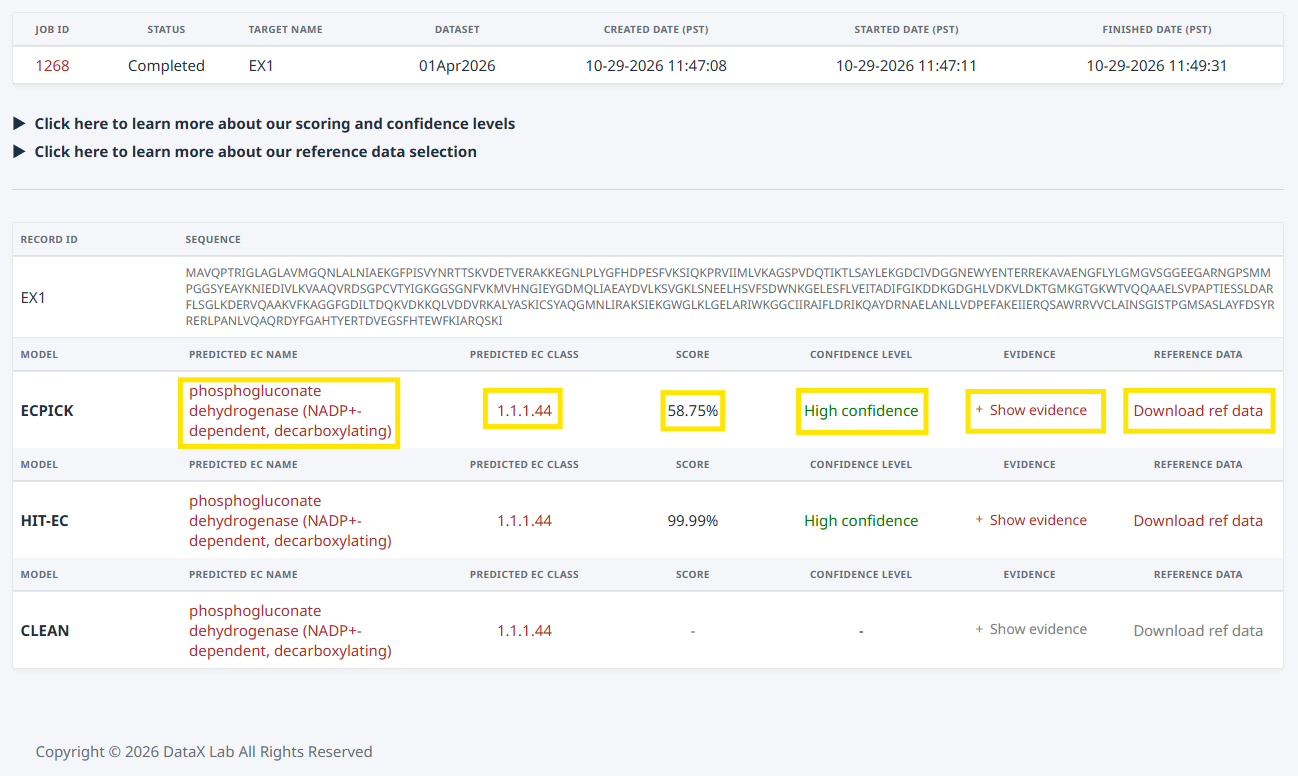
EnzymeX predicts Enzyme Commission (EC) numbers using four deep learning models: ECPICK, HIT-EC, CLEAN, and IDF-EC.
For each prediction, users can explore the following information:
- Predicted EC Name: The name of the predicted enzyme.
- Predicted EC Class: The functional classification of the predicted enzyme.
- Confidence Score: The confidence score associated with the predicted EC number.
- Confidence Level: The confidence level of the prediction.
- Evidence: Residue-level importance scores highlighting amino acid positions contributing to the prediction.
- Reference Data: Information about similar protein sequences retrieved from reference databases.
Reference Data: Similar Protein Sequences
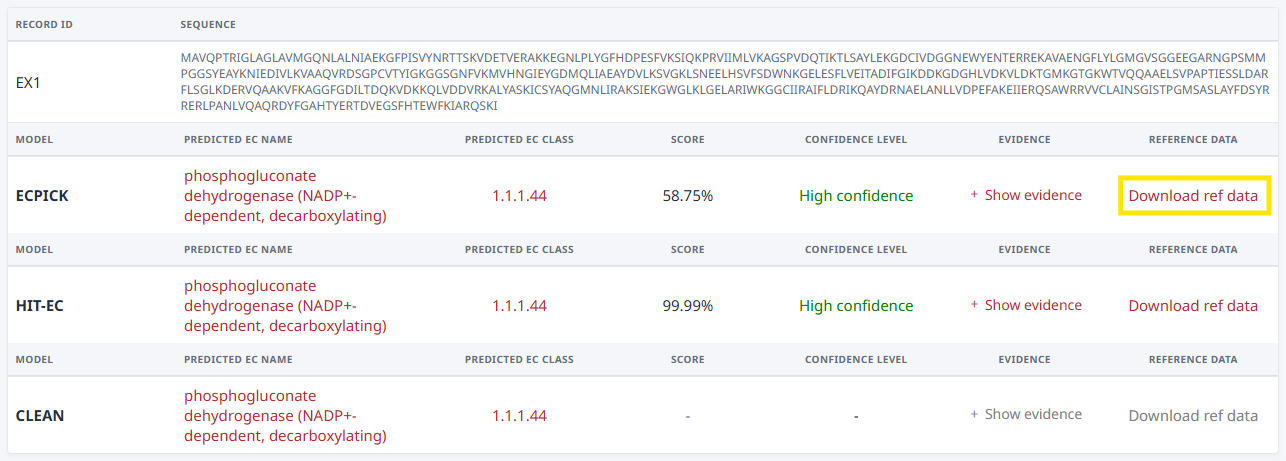
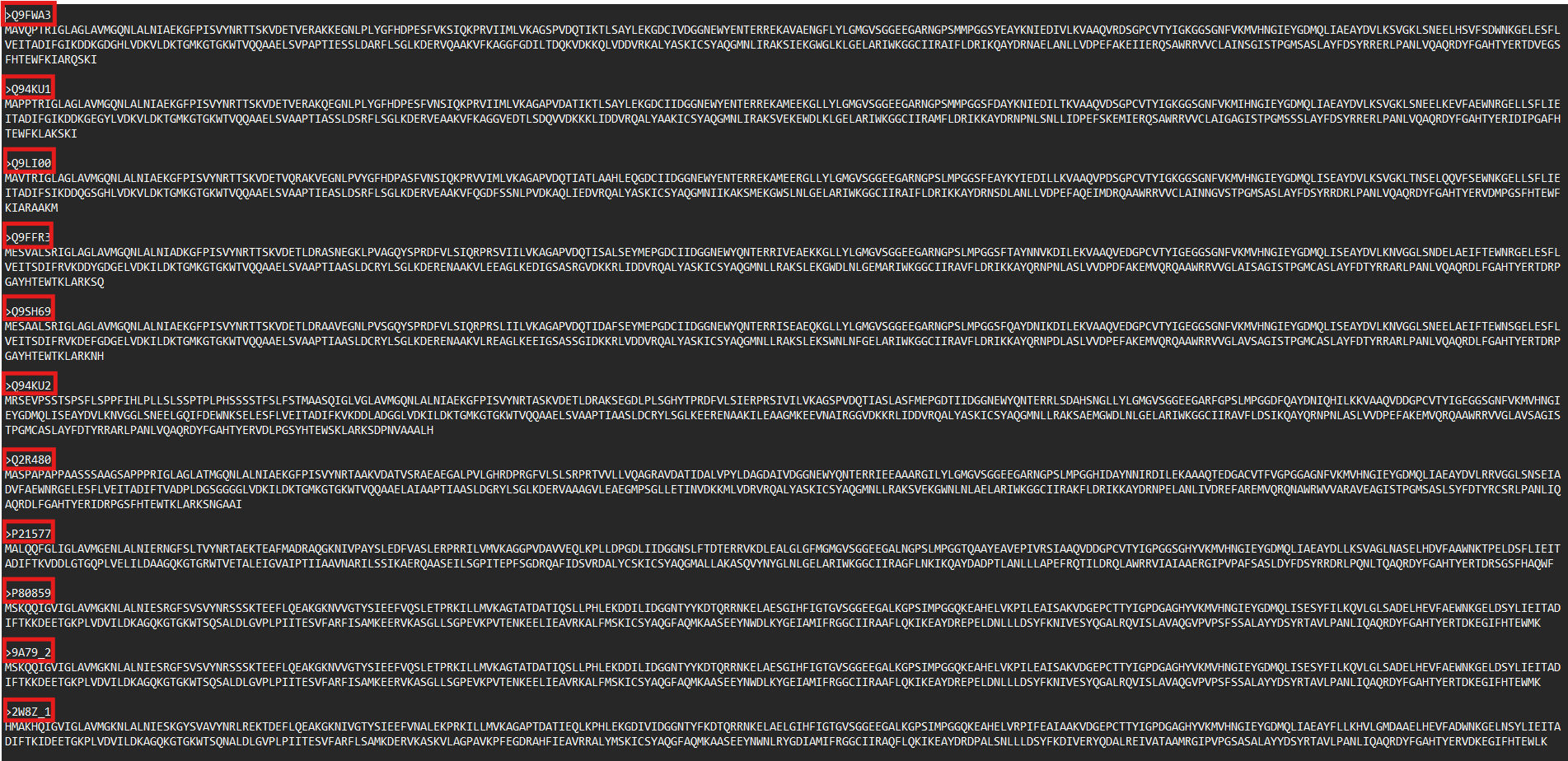
EnzymeX uses BLAST to identify up to 20 similar protein sequences from the latest Swiss-Prot, PDB, and KEGG datasets, applying a minimum sequence identity threshold of 30%.
The resulting sequence alignment is integrated into the Evidence visualization, allowing users to compare residue-level importance scores between the submitted protein and similar reference proteins.
Users can also download the refecence sequences by clicking Download ref data button.
Evidence: Residue-Level Interpretation
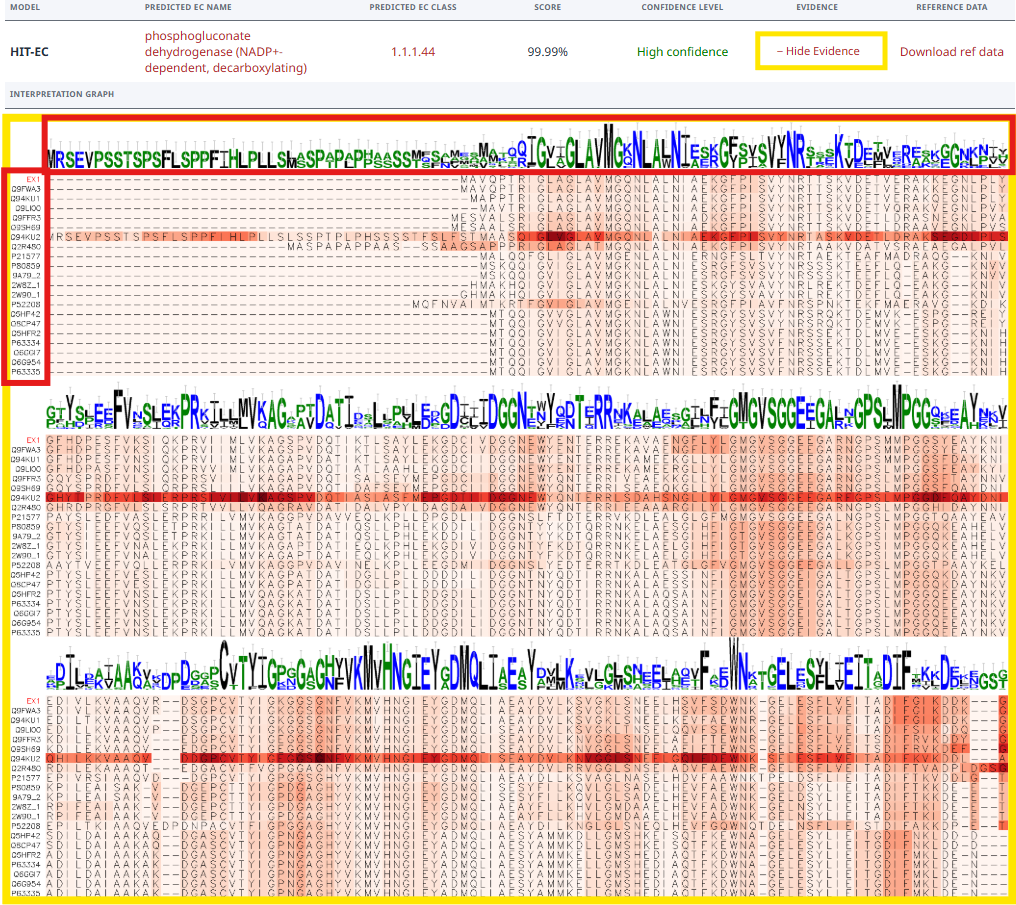
EnzymeX provides residue-level importance scores for ECPICK, HIT-EC, and IDF-EC, highlighting amino acid positions that contribute to EC number predictions. The CLEAN model provides EC number predictions without residue-level interpretation.
To support comparative interpretation, the submitted protein sequence and retrieved reference sequences are aligned using Clustal Omega. The resulting multiple sequence alignment allows users to compare residue-level importance scores across aligned protein sequences.
Additionally, EnzymeX integrates WebLogo to visualize amino acid conservation patterns derived from the multiple sequence alignment. This allows users to examine whether residues highlighted by the prediction models are conserved across similar protein sequences.
Users can also download the Evidence image by clicking on it.